This blog is no longer updated.
For future project news, please visit: makagiga.sourceforge.io
Thanks!
This blog is no longer updated.
For future project news, please visit: makagiga.sourceforge.io
Thanks!
It seems that it took me almost 2 months to write this post ;-)
Updated Metal look and feel (it's called "Modern Metal" in Makagiga). Hopefully, version 5.1 will bring more tweaks.

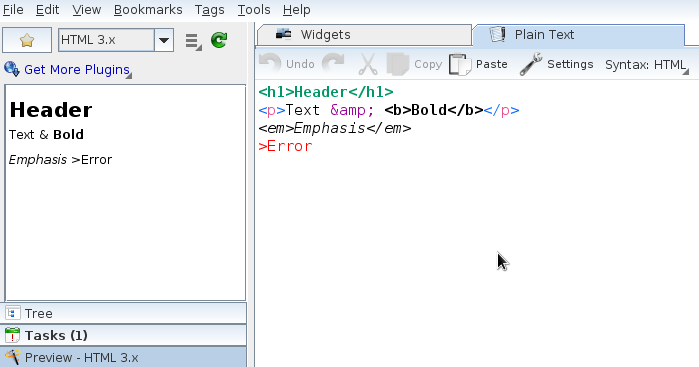
New (experimental) syntax highlighting in Notepad editor (see Tool Bar or Menu Bar|View). The old Syntax Highlighting plugin is no longer supported in Makagiga 5.x. Makagiga plugins such as Markdown Preview will provide more syntax highlighters for various markup languages...
Search results in table views are now highlighted.

Preview in RSS Filters window:


Built-in script editor brings new output/error console, configurable font, and JavaScript syntax highlighting by default.
Finally, a new plugin is available! :)
Mathematical Formulas Preview plugin allows you to quickly create and view mathematical formulas written in LaTeX. It uses JLaTeXMath library to render images. Install it via menu Tools -> Plugins -> Get More Plugins (requires Makagiga 5.x).


NEW: AES-128 file encryption (password protection). NOTE: To decrypt such file you need Java 8 and Makagiga 5.x. You can still select an older encryption algorithm for compatibility with Java 7/Makagiga 4.x.
NEW: Customizable background, text, and link colors:


This preview version includes some new features as well bug-fixes and minor UI tweaks. Please remember that this is a test version and may be more unstable or buggy ;)
Repeat Rule editor: Month calendar preview for Daily/Weekly rules

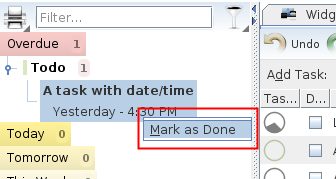
Marking tasks as done directly from the left sidebar (see context menu)
Allow multiple plugin or file selection (hold Ctrl key and click to select more items)

Feature highlights:
(Re-)Added "Load and Show Full Page" option. This is mostly workaround for RSS feeds that displays only part of the full article. Now you can view the Dilbert comic strip again ;)

Added "Duration" column for easier and more detailed time scheduling:


It's a Font Awesome-based, customizable icon theme for Makagiga 4.8+, inspired by this blog text.


To install this icon theme, click Tools -> Plugins -> Get More Plugins. You may also need to disable other installed Makagiga Icon Themes (e.g. Tango).
Show alarm count in system tray icon (see menu bar|Tools|Settings|Tasks):

Redesigned and cleaned up task properties menu. The new popup menu is more compact and contains less menu items. Frequently used actions are now displayed as buttons instead of submenus.

Makagiga can now open linked documents in tabs instead of in an external application. You can combine this feature and Markup Preview/Wiki Tools plugin to create a basic wiki-like system.
Added function to remove existing document password protection (see Properties|Set Password...|Remove Password button).
Option to set icon size in Sidebar or Tabs. By default Makagiga uses small icons in both tabs and sidebar buttons. Since version 4.9 you can uncheck "Small Icons" option to use larger icons.

Hold right-mouse-button and move cursor to list all matching mouse gestures. You can still press F1 to see ALL gestures.

This is a summary of changes in Makagiga 4.7 Alpha 1.
Grouping tasks by Category, Priority, etc. (click Tasks -> Filter -> Group By):

EXPERIMENTAL: Basic Markdown Syntax support in Summary column (see menu -> View -> Markdown Syntax):

Improved alarm notification window:

Background and text color options:

Tab History (Ctrl+Shift+T): Group items by date; keep more items in history:

Wikipedia options moved to the "Internet Search" widget menu:

New plain text format based on Org mode:
* TODO Lorem Ipsum [30%]
* TODO [#C] A low priority task
* DONE A task with categories :Starred:Work:
* TODO A task with date/time
  <2013-01-17 Thu 20:27>
To convert Makagiga tasks to plain text simply press Ctrl+C or click menu -> File -> Export. You can also import *.org files and open it using Notepad plugin.
Search and filter tasks by priority type (High, Normal, etc.) and progress (0%, 50%, etc.):

Bold font in summary text, minor UI tweaks:


Convenient "Block Images" and "Exclude from..." options in "Add RSS Feed" window:

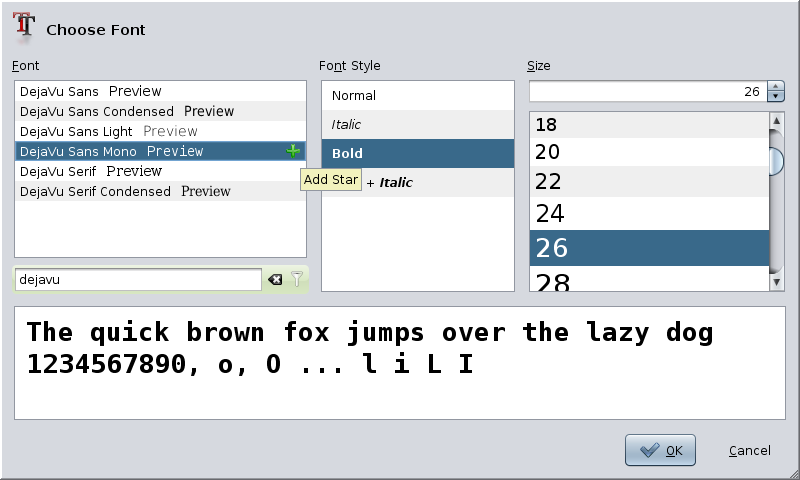
Show quick action buttons in "Plugins" tab and in font chooser dialog:

New and updated icons in many UI elements:

Improved text preview in font chooser dialog:
DuckDuckGo is now the default Internet search provider:

CDE/Motif Look and Feel is back (no screenshot because it's ugly ;-)
New navigation between images. Hint: Press Space/Backspace to open next/previous image:

Larger text cursor width in text editors. Improved HTML rendering in Preview panel...
New Login plugin allows you to set Master Password which can be used to encrypt/decrypt your Makagiga documents with single-click.
